Under 20%
The capybara rests, moving at about 700ms intervals.
Free macOS menu bar utility
CapyBite is a free macOS menu bar system monitor where a capybara's carrot-eating speed changes with your CPU usage.

Free · Version 1.0.10 · No privacy tracking

The real app
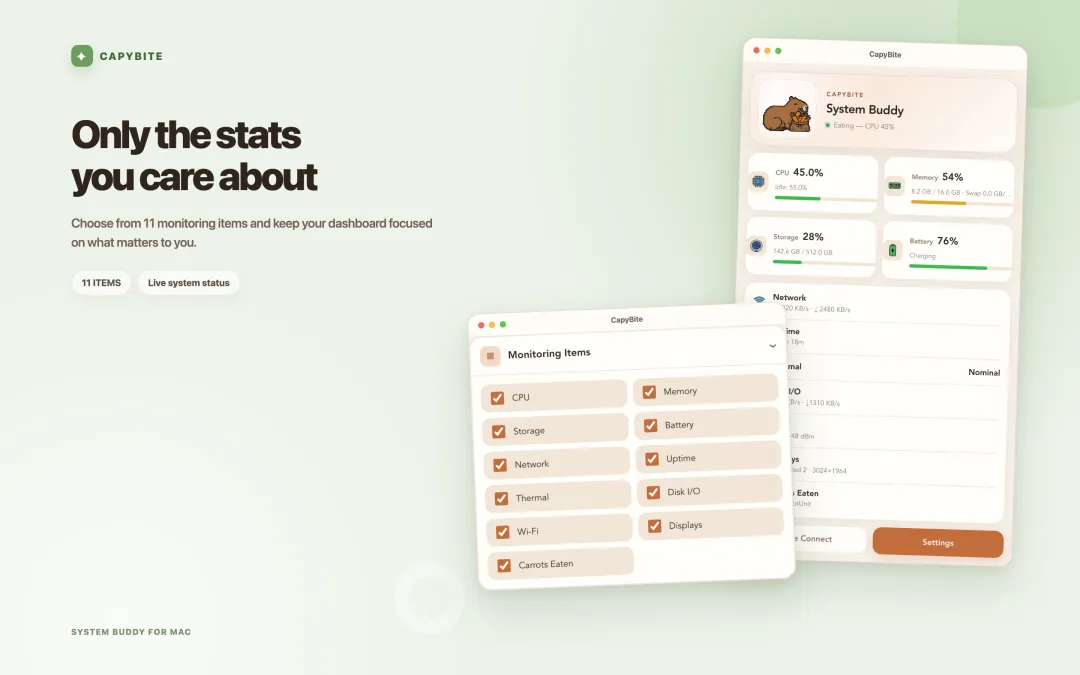
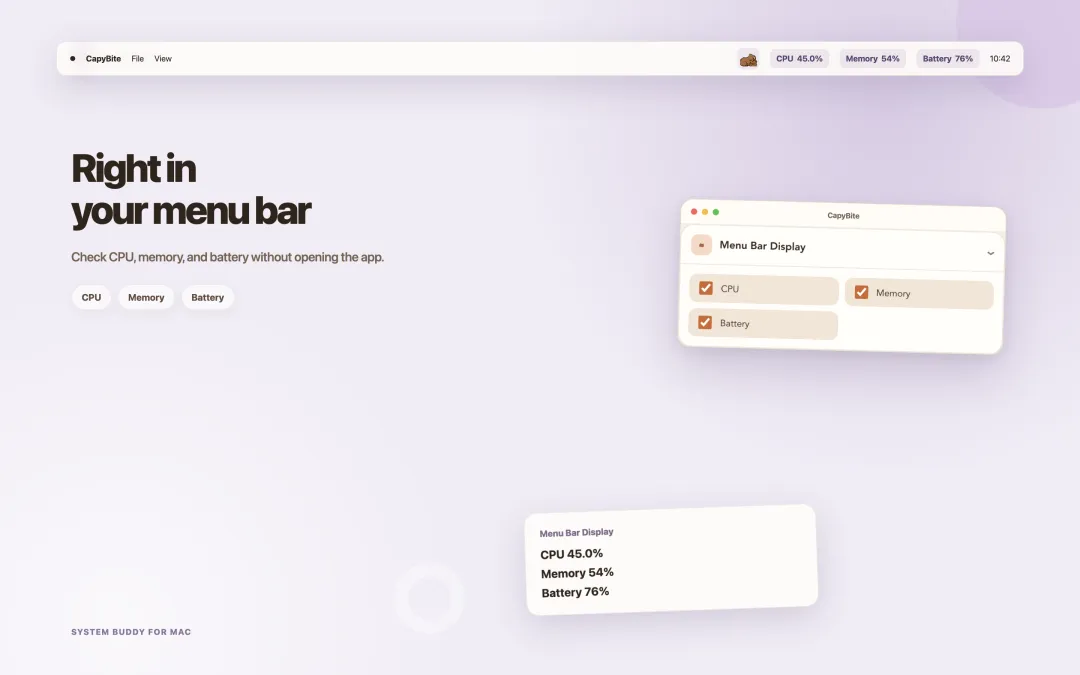
Actual macOS screens from CapyBite, now available on the Mac App Store. See the character's state alongside your system metrics as CPU load changes.



Mobile app
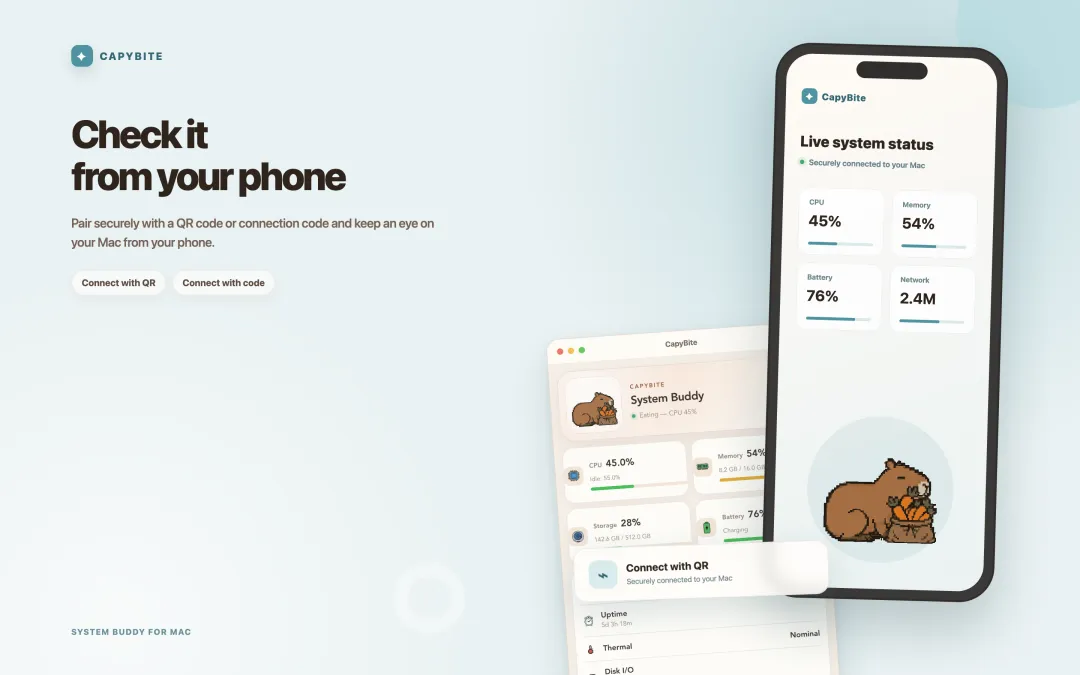
CapyBite Mobile lets you monitor your Mac's CPU, memory, and battery in real time from your iPhone or Android phone.
How it works
CapyBite reads your Mac's system information on-device roughly every second, and adjusts the speed of a 24-frame capybara animation based on CPU usage.
The capybara rests, moving at about 700ms intervals.
It starts eating carrots, moving at about 350ms intervals.
Under heavy load, it eats even faster at about 130ms intervals.
These thresholds are based on the CapyBite 1.0.x implementation and may be adjusted in future versions.
Key features
Check your Mac's status in a cute, fast glance without breaking your workflow.
The higher your CPU usage, the faster the capybara eats its carrot.
Check CPU, memory, storage, battery, and network status in the popover.
CPU monitoring works without an internet connection, with no ads or user tracking.
Finds cache and duplicate files, then moves them to the Trash after your review. System files and app data are protected automatically.
Looking for a playful RunCat alternative? See how the capybara reads your CPU in the menu bar.
App info
Frequently asked questions
Yes. CapyBite is a free macOS app.
CPU monitoring works entirely on your device, with no internet connection required.
You can check your CPU, memory, storage, battery, and network status.
CapyBite runs on macOS 13 and later. You can also check the exact requirements under Mac App Store compatibility.
Yes. CapyBite includes a cleanup tool that finds cache and duplicate files, lets you review them, then moves them to the Trash. System files and app data are protected automatically.
The cutest way to keep an eye on your CPU.